Home Learning
If you're looking for information on homework, setting up Seneca, or useful resources, then you've come to the right place.
Simply scroll down the page to find what you need.
Home Learning Summary
Homework plays a vital role in reinforcing learning, and research from the Education Endowment Foundation (EEF) shows that it can lead to improved academic outcomes, particularly when tasks are meaningful, manageable, and tailored to the needs of the students.
EEF findings suggest that homework is most effective when it encourages independent learning, deepens understanding, and consolidates what has been taught in class.
While shorter, more frequent homework tasks are generally better for younger students, older students benefit more from longer, focused assignments.
How often will homework be set?
Students will be set homework tasks to complete on Seneca each week.
What is Seneca?
Seneca is an online learning platform where homework and other learning tasks can be assigned and completed digitally.
In KS3, students will receive 30-minute tasks to complete in English, Maths, Science, Geography, History and MFL. When students select their option subjects at KS4, this will increase to 40-minute tasks.
An FAQ page on how a child can set up and use their Seneca account is enclosed.
Parental involvement is key to success. EEF research highlights that parents can significantly enhance the effectiveness of homework by providing a supportive environment, showing interest in their child’s work, and helping to establish good study habits.
However, rather than completing tasks for their children, parents should focus on encouraging effort, offering guidance when needed, and fostering a positive attitude toward learning.
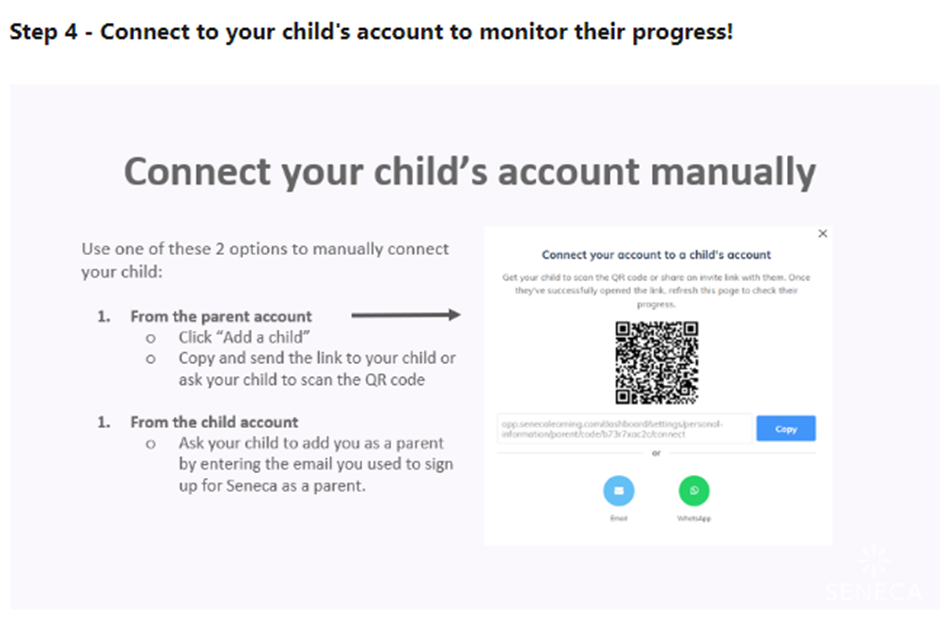
Parents can also access the homework for their child by setting up an account. You can watch this video on how to sign up to Seneca as a parent via the link.
For more information, you can visit the Seneca Learning Help Centre.
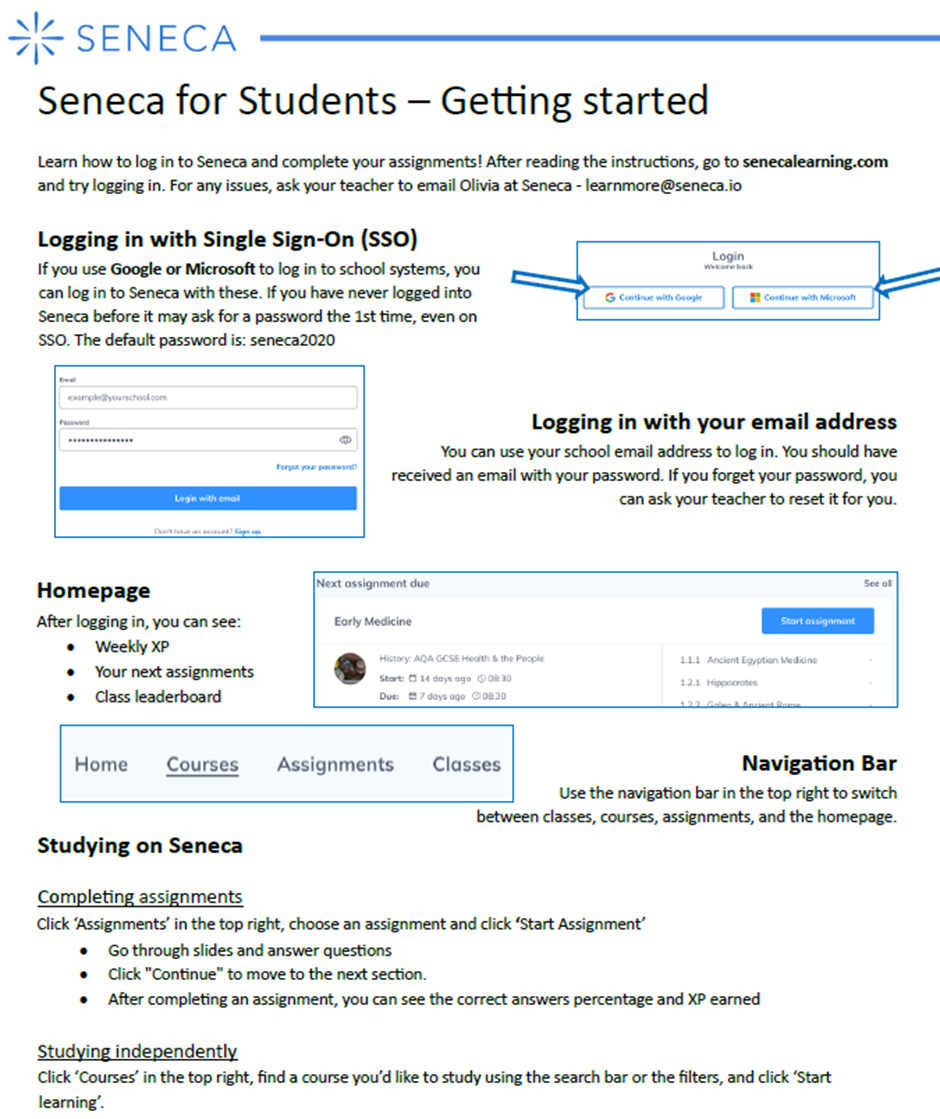
How can my child access Seneca?
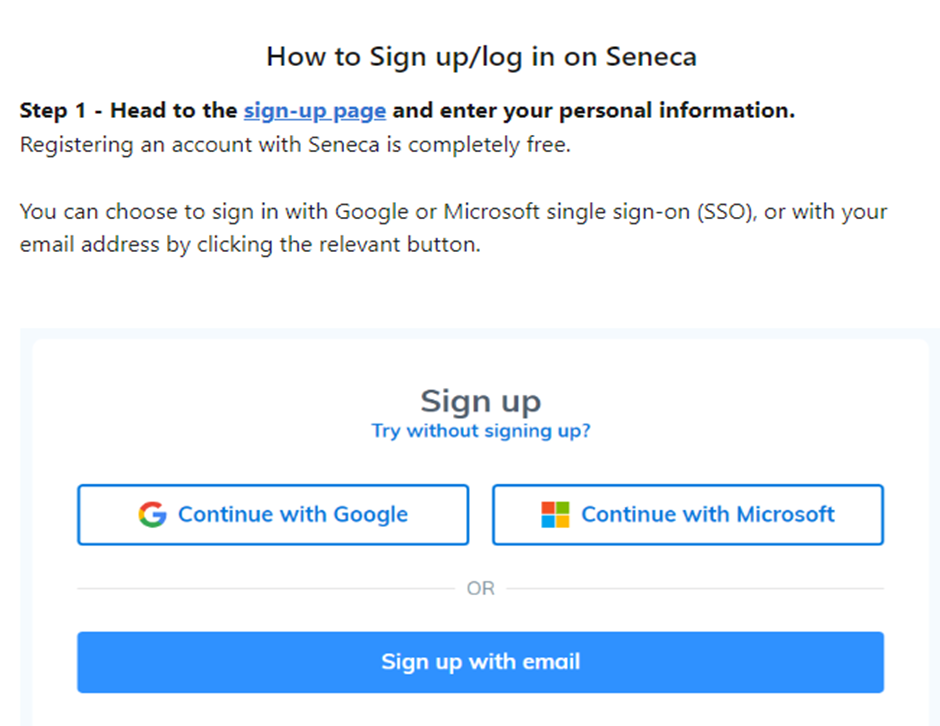
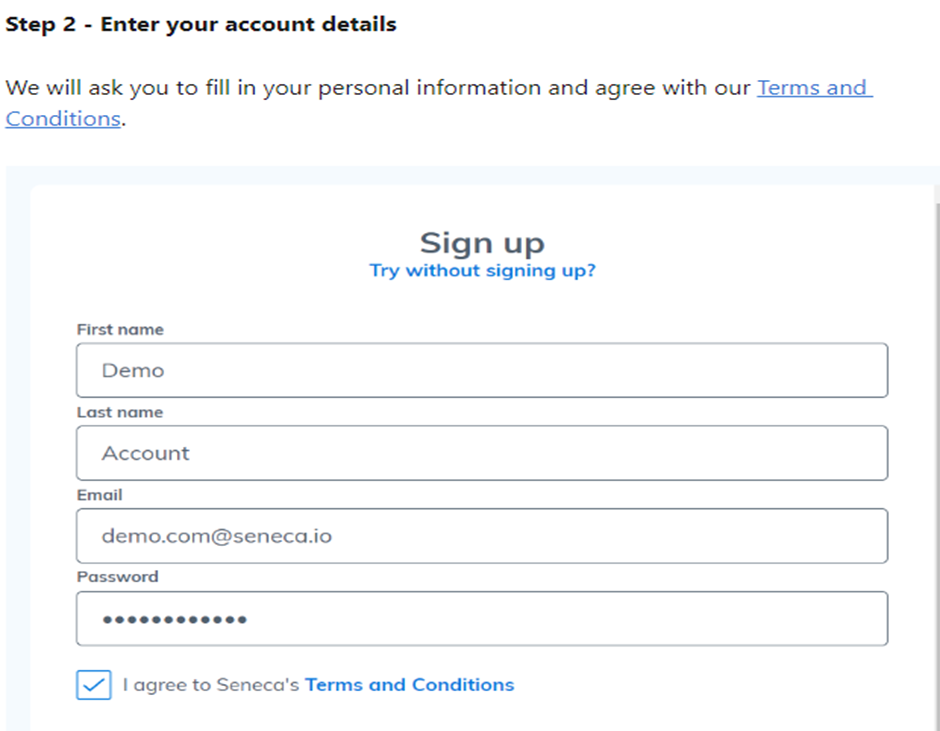
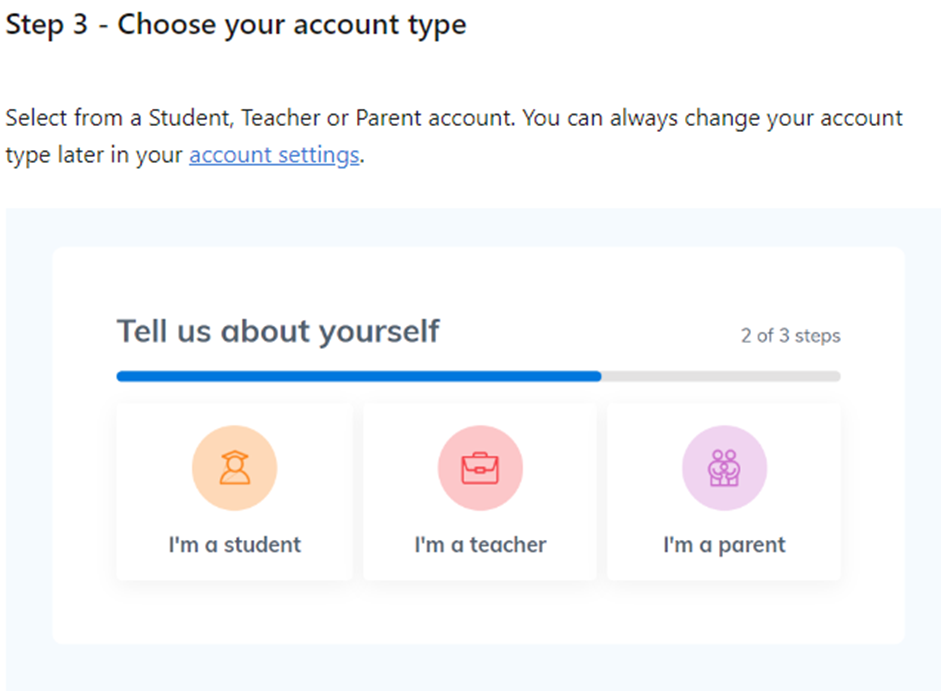
Below is a step-by-step guide for setting up an account. Follow the instructions and use the images as a reference to check your progress.
How can I see what Homework my child has got to complete?
Useful student links
Feel free to use any of the links below to support learning at home: